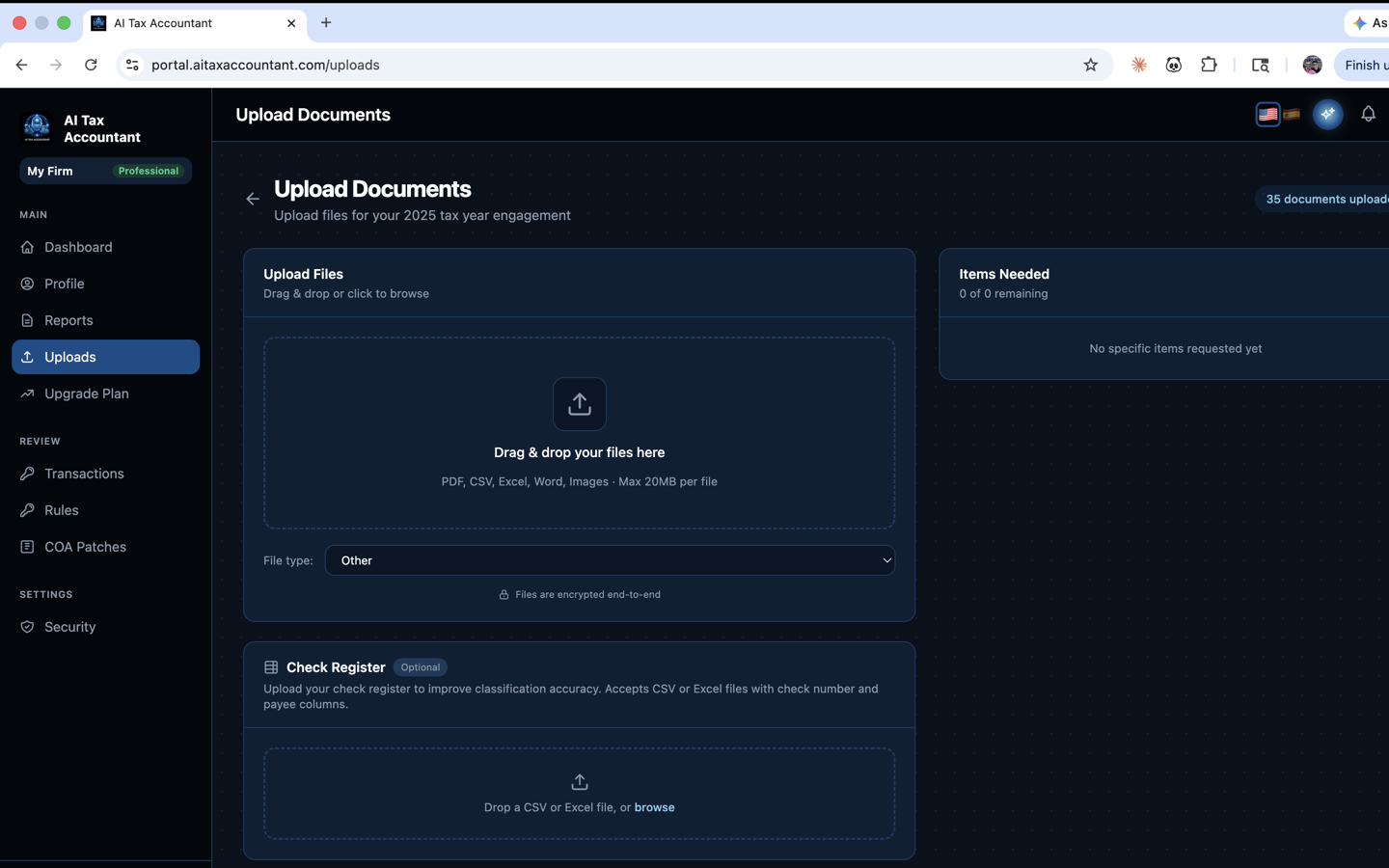
AI Tax Accountant accepts a wide range of financial documents. The more complete your upload set, the more accurate your GAAP financial statements and tax strategy report will be. This article lists every document type the portal supports and how each is used.
Primary Source Documents
- QuickBooks Online or Desktop Profit & Loss PDF — the fastest path to a complete report.
- P&L exports from FreshBooks, Wave, or Xero (PDF format).
- General ledger exports (CSV or XLSX) when your books are managed outside QuickBooks.
- Trial balance reports from any accounting platform.
Bank and Card Records
- Business bank statements (PDF) from any major US institution.
- Credit card statements (PDF) for cards used to run business expenses.
- Merchant processor reports (Stripe, Square, PayPal, etc.).
Tax and Payroll Documents
- Prior-year tax returns (Form 1120, 1120-S, 1065, Schedule C).
- 1099-NEC, 1099-MISC, 1099-K, and 1099-INT forms.
- W-2s and W-3s issued to employees.
- Quarterly payroll reports from Gusto, ADP, Paychex, or QuickBooks Payroll.
Supporting Documents
- Mileage logs, vehicle records, and asset purchase receipts.
- Loan statements and lease agreements (for interest tracking).
- Home-office square-footage documentation.
- Health insurance premiums and retirement contribution statements.
When you upload a file, you can tag it as Bank Statement, Tax Return, Financial Statement, Supporting Document, or Other. Tagging is optional but helps the AI route the document faster.
Not sure whether a specific document is useful? Upload it anyway — the system will analyze it and may identify potential deductions to discuss with your tax professional.