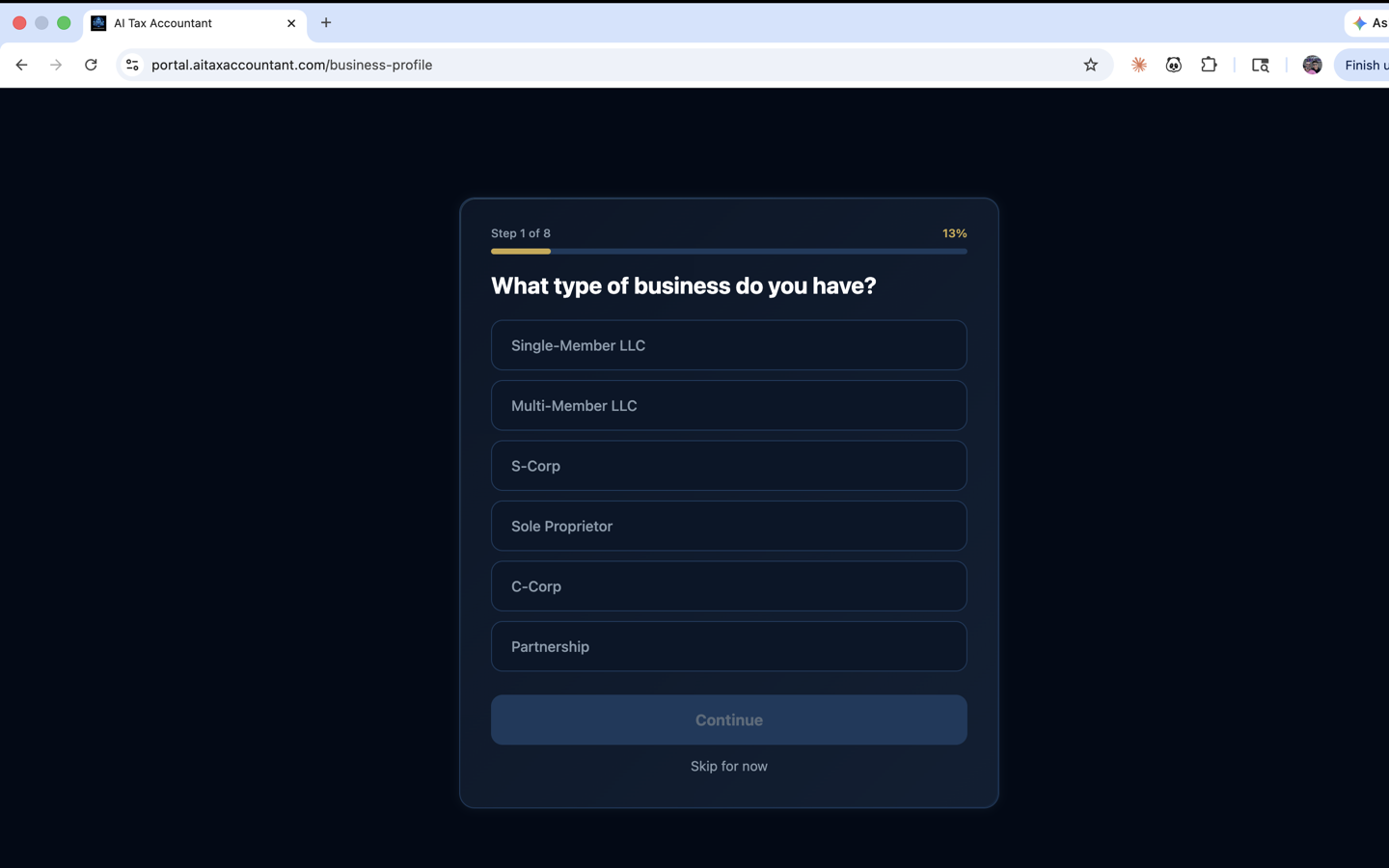
After you create your account and confirm your firm name, the portal walks you through an 8-step Business Profile. Each step is a single question with pill-style answer choices. The profile shapes how the platform categorizes your transactions and which items it flags for your review, so it is worth taking a few minutes to get right.
The 8 steps, in order
- Step 1 — Entity type. Choose Single-Member LLC, Multi-Member LLC, S-Corp, Sole Proprietor, C-Corp, or Partnership. If you select S-Corp, you will also enter your annual officer compensation.
- Step 2 — Home office. Yes, Sometimes, or No. If Yes, set the business-use percentage with the slider (typical range is 5–50%).
- Step 3 — Business vehicle use. Yes (and I track miles), Yes (no tracking), or No. If you track miles, enter the annual business mileage.
- Step 4 — Equipment purchases. Did you buy business equipment this year? If yes, pick a dollar range: under $1,000, $1,000–$5,000, $5,000–$25,000, or over $25,000.
- Step 5 — Retirement account. SEP-IRA, Solo 401(k), SIMPLE IRA, or Not yet.
- Step 6 — Health insurance. Yes (self-employed), Yes (through spouse), or No. If Yes, enter your monthly premium.
- Step 7 — Employees. Just me, 2–5, 6–20, or 20+.
- Step 8 — Estimated tax payments. Yes, No, or Not sure. If Yes, enter the total amount paid for the year.
Tips before you start
- You can hit Back at any step to change a previous answer.
- Skip For Now is available at the bottom of the screen — but completing the profile produces more accurate reports.
- You can return to the Business Profile from your dashboard at any time to update answers as your business changes.
Your profile is informational. The platform uses it to surface items that may be worth a conversation with your tax professional — for example, S-Corp officer compensation reasonableness, home-office allocation, or retirement plan options. Talk to your CPA before relying on any of these items for filing decisions.